
When your LG microwave suddenly stops turning on, it can be frustrating to see a blank display or get no response from the controls. The problem may occur unexpectedly, even when the microwave was working normally before.
These issues can affect everyday cooking and may leave you wondering whether the problem is minor or requires replacement of LG parts. Knowing the common causes and available repair options can make it easier to approach the issue without unnecessary replacements.
This blog explains the common causes, faulty parts, and troubleshooting steps for an LG microwave that won’t turn on.
Why Is My LG Microwave Not Turning On?
When an LG microwave does not respond, the first thing to determine is whether it is not receiving power or receiving power but not starting. A blank display usually indicates a power-related problem, while a working display with no cooking cycle points toward the door mechanism or controls.
Faulty wall outlet: A dead outlet will prevent the microwave from receiving electricity. Test it with another appliance.
Tripped circuit breaker: A breaker may shut off power after an electrical overload. Reset it once and check the microwave.
Damaged power cord or plug: Frayed insulation, burn marks, or a loose plug can interrupt the electrical connection.
Blown internal fuse: A failed fuse can cut power to the microwave and leave the display blank.
Faulty door switch: A defective switch may prevent the microwave from starting even when the display works.
Control panel or control board failure: Unresponsive buttons or a Start command that does not work can indicate a control problem.
Start with the outlet, breaker, and power cord because these checks do not require opening the microwave. If those are working, the problem may involve an internal component that requires professional diagnosis.
Find the right home appliance replacement parts at PartsMelange to support your appliance repairs and maintenance. Shop microwave parts such as door switches, turntable components, magnetrons, fuses, and other replacement parts for compatible LG microwave models, along with parts for other major home appliances.
How to Troubleshoot an LG Microwave That Won’t Turn On
Troubleshoot the microwave from the easiest external checks to the components that may require professional testing. Do not remove the microwave cabinet during these checks.
Step 1: Test the Wall Outlet
Plug another working appliance into the same outlet. If the second appliance does not work, investigate the outlet or circuit rather than the microwave.
If the outlet works normally, continue to the next step.
Step 2: Check the Circuit Breaker
Inspect the electrical panel for a tripped breaker. Reset it once and reconnect the microwave.
If it trips again, disconnect the microwave and have the circuit checked. Repeated breaker trips can indicate an electrical fault that requires professional diagnosis.
Step 3: Inspect the Power Cord and Plug
With the microwave disconnected from power, visually inspect the cord and plug. Look for:
Cuts or exposed wires
Melted insulation
Burn marks
Loose or damaged plug components
Replace a damaged power cord with the correct part rather than continuing to operate the microwave.
Step 4: Confirm That the Door Closes Correctly
Open and close the door firmly. Make sure the latch engages and that no object is blocking the door.
If the display works but the microwave refuses to start, inspect the door latch and interlock system for visible damage.
Step 5: Check the Control Panel
If the display is working, press several control buttons. If none respond, the control panel or control board may be involved.
If only one or two buttons fail while the remaining controls work, the touchpad becomes a more specific suspect.
Step 6: Perform a Basic Power Reset
Disconnect the microwave from the outlet for several minutes, then reconnect it. Check whether the display returns and whether the controls respond.
If the microwave remains completely dead, continue with professional diagnosis rather than opening the cabinet.
Step 7: Test or Replace the Suspected Part
If external checks do not identify the problem, a technician can test components such as the internal fuse, door switches, control panel, and control board.
When ordering a replacement part, use the complete LG microwave model number. Similar-looking parts can have different electrical ratings or mounting configurations, so matching the model is more important than choosing a part based only on appearance.
Safety note: Do not remove the microwave cabinet to test internal or high-voltage components yourself. These components can retain dangerous electrical charges even after the appliance is unplugged.
What LG Microwave Parts Can Cause a No-Power Problem?
If the outlet, breaker, and power cord are working, the next step is to identify the microwave component that could be preventing it from turning on. The symptom matters here because some parts affect power, while others control whether the microwave is allowed to start.
Internal Fuse: A blown fuse can interrupt the microwave’s power circuit, leaving the display and controls completely inactive. The replacement fuse must match the original part’s specifications.
Door Switch: This switch confirms that the microwave door is properly closed. If it fails, the display may remain active while the microwave refuses to start.
Door Latch: A damaged or misaligned latch may prevent the door from engaging the safety switches correctly. This can stop the cooking cycle from starting.
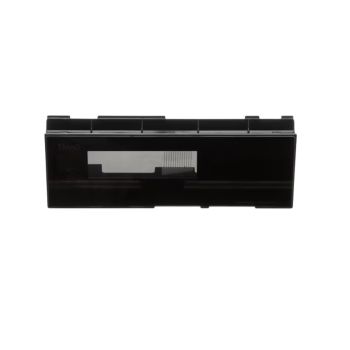
Control Panel: A faulty touchpad can prevent button commands from reaching the microwave. If certain buttons do not respond while the display remains on, the control panel may be the issue.
Main Control Board: The control board manages the microwave’s operating functions. A failure can cause a blank display, unresponsive controls, or failure to begin a cycle.
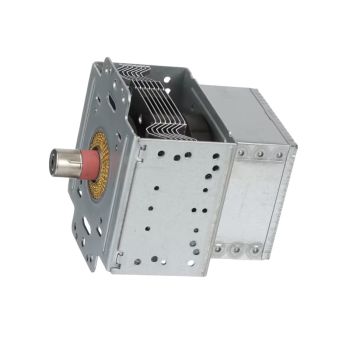
Magnetron: The magnetron generates the microwave energy used for heating. If the microwave runs but does not heat food, the magnetron may require inspection.
High-Voltage Components: Components such as the high-voltage diode and capacitor support the microwave’s heating system. They are more likely to be involved when the microwave runs but produces little or no heat.
Do not open the microwave cabinet to test these components unless you are qualified to work on microwave appliances. High-voltage components can retain a dangerous electrical charge even after the microwave is unplugged.
When to Repair or Replace an LG Microwave?
Before replacing your LG microwave, compare the repair cost with the appliance’s age, condition, part availability, and type of failure. The following table can help you decide which option makes more sense.
Factor | When to Repair | When to Replace |
Type of problem | A single component such as a door switch, fuse, or control panel has failed. | Multiple major components have failed. |
Repair cost | Repair costs are significantly lower than buying a new microwave. | Repair costs are close to the price of a new microwave. |
Overall condition | The microwave has no major physical damage and works well otherwise. | The microwave has severe rust, cabinet damage, or door damage. |
Age | The appliance is relatively newer and has many usable years ahead. | The appliance is older and has developed frequent problems. |
Parts availability | Correct replacement parts are available for the model. | Important parts are discontinued or difficult to source. |
Electrical problems | A technician identifies one repairable electrical fault. | The microwave has repeated electrical failures or breaker issues. |
Heating performance | The heating system works normally after a minor repair. | Major heating components have failed and repair costs are high. |
Safety | The microwave has no structural or electrical safety concerns after repair. | Door, cabinet, or wiring damage creates a safety concern. |
If the microwave needs only one reasonably priced part and is otherwise in good condition, repairing it is usually the practical choice. If several major problems are present or the repair cost is too high, replacement may be more sensible.
Check out Magic Chef Microwave Not Working: 10 Common Causes and How to Fix Them to identify common problems and practical solutions.
Summary: What to Do When Your LG Microwave Won’t Turn On
An LG microwave that won’t turn on may have a problem with the outlet, circuit breaker, power cord, door switch, internal fuse, or control system. Checking the symptom first helps you identify where to begin troubleshooting.
Start with the outlet, breaker, cord, door, and control panel before considering internal parts. If the microwave still does not work, have a qualified technician inspect the internal components and compare the repair cost with replacement.
Key Takeaways
Check the outlet and circuit breaker first.
Inspect the power cord for visible damage.
Make sure the microwave door closes and latches properly.
Check whether the display and control panel respond.
Consider the internal fuse, door switch, or control board if basic checks fail.
Have a qualified technician handle internal and high-voltage repairs.
FAQs
Why is my LG microwave completely blank and not turning on?
Check the outlet, circuit breaker, and power cord first. If they work, a blown internal fuse or control board may be responsible.
Why does my LG microwave have power but won’t start?
Check the door latch and switches. If the door closes properly, a faulty control panel, door switch, or control board may prevent starting.
Can a blown fuse cause my LG microwave to stop working?
Yes. A blown internal fuse can leave the microwave completely dead. Replace it only with the correct fuse after identifying the cause of failure.
Disclaimer: This blog is for informational purposes only and provides general troubleshooting guidance for LG microwave issues. |





Please complete your information below to login.
Sign In
Create New Account