
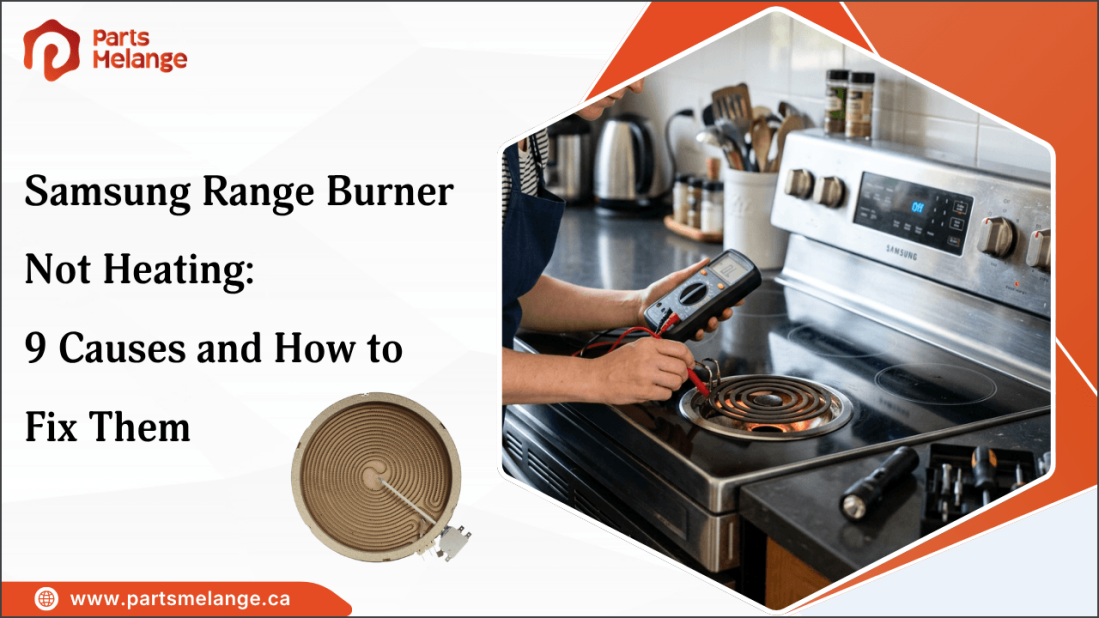
A Samsung range burner that is not heating can make it difficult to cook normally, especially when the other burners are working as expected. The problem may be caused by a faulty heating element, loose connection, damaged wiring, power supply issue, or control problem. Incorrect settings can also affect heating performance on some models.
A properly functioning Samsung range burner helps maintain consistent heat for everyday cooking. Identifying the symptoms and checking the affected components can help narrow down the cause before replacing a part.
This guide explains the most common reasons a Samsung range burner is not heating, how to troubleshoot each problem, and when replacing a component or contacting a technician is the better option.
Why Is My Samsung Range Burner Not Heating?
A Samsung range burner may stop heating because of a failed heating element, damaged connection, faulty control, power supply issue, incorrect setting, or cookware problem. The likely cause depends on whether one burner or several burners are affected and how the burner behaves when you turn it on.
Use these symptoms to narrow down the problem:
Only one burner is not heating: Check the surface heating element, burner connection, surface element switch, and wiring.
Several burners are not heating: Check the circuit breaker, power supply, and electronic control system.
The burner heats intermittently: A loose connection, damaged wiring, or failing switch may be interrupting power.
The burner heats but takes longer than before: The heating element, electrical connection, or cookware may be affecting heat output.
The burner stopped working after a repair: Check whether the component was installed correctly and matches the Samsung range model.
Once the basic symptoms are identified, the next step is to check the individual components and conditions that can prevent the burner from producing heat.
Looking for a Samsung range burner replacement or heating element? PartsMelange provides high-quality home appliance replacement parts to help restore your range’s cooking performance. Find compatible Samsung range parts, including burners, heating elements, surface element switches, control boards, and more. Check your complete model number before ordering to ensure compatibility.
9 Common Causes of Samsung Range Burner Not Heating and Fixes
A Samsung range burner may stop heating when a specific component fails or the burner cannot receive the power or gas needed to operate. Here are the common causes to check, the symptoms to identify, and the appropriate fix for restoring burner operation:
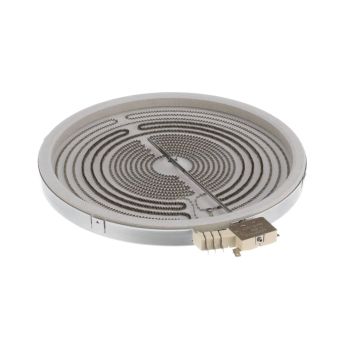
1. Faulty Surface Heating Element
A damaged or failed surface heating element can prevent an electric Samsung range burner from producing heat. Repeated heating and cooling cycles can eventually cause the element to fail.
Signs to look for:
Burner stays completely cold while other burners work.
Element has visible cracks, blisters, or burn marks.
Burner stopped working suddenly.
Fix: Disconnect power and allow the range to cool before inspecting the element. If testing confirms that the element has failed, replace it with a compatible surface heating element for the exact Samsung range model.
2. Damaged or Loose Burner Connection
A loose or heat-damaged connection can interrupt power to the heating element and prevent the burner from operating normally.
Signs to look for:
Burner works intermittently or stops unexpectedly.
Terminals show discoloration or burn marks.
The problem started after the element was removed or replaced.
Fix: Disconnect power and inspect the applicable terminals and connections. Replace any damaged terminal, receptacle, or connector rather than simply tightening a heat-damaged connection.
3. Failed Surface Element Switch
The surface element switch controls power to the heating element on compatible electric Samsung ranges. If it fails, the burner may not respond correctly to the selected heat setting.
Possible symptoms include:
The burner remains cold at every setting.
The burner works only at certain settings.
Control does not respond normally.
Fix: Test the switch according to the range's electrical specifications. If it has failed, replace it with the correct Samsung range burner switch.
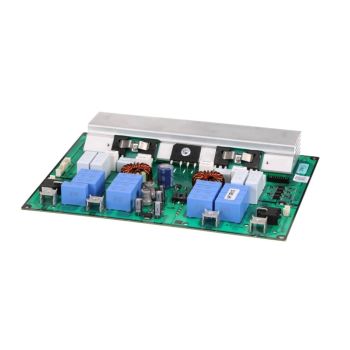
4. Defective Surface Element Control Board
Some Samsung ranges use electronic controls to regulate surface heating. A faulty control board can prevent the burner from receiving the required power.
Possible signs include:
One or more burners do not respond to the controls.
The heating element and connections appear to be functioning.
Other electronic controls also behave abnormally.
Fix: Check the heating element, connections, switch, and power supply before replacing the control board. If the board is confirmed to be faulty, match the replacement to the complete range model number.
5. Power Supply or Circuit Breaker Problem
A power supply problem can prevent one or several burners from heating, particularly when other range functions are also affected.
Check for:
Several burners stopped working at the same time.
The range's circuit breaker has tripped.
Other electrical functions are also affected.
Fix: Check the range's circuit breaker. If it has tripped and there are no signs of an electrical fault, reset it according to applicable safety instructions. If it trips again, stop using the range and have the electrical problem diagnosed.
6. Burned or Damaged Wiring
Damaged wiring can interrupt the electrical circuit between the burner and its controls. Excessive heat, loose connections, or electrical faults can damage wires and terminals.
Look for:
Burned or melted insulation.
Discolored or overheated terminals.
Loose or visibly damaged wires.
Fix: Disconnect power before inspecting the wiring. Damaged wiring or terminals should be repaired or replaced using components appropriate for the specific Samsung range.
7. Incorrect Burner or Cooktop Component Installation
An incorrectly installed or incompatible component can prevent a burner from heating, especially after a recent repair or replacement.
Possible installation problems include:
The heating element is not fully seated.
Terminals are incorrectly connected.
The replacement component does not match the range model.
Fix: Turn off power and verify the installation against the model-specific instructions. Confirm that the replacement component matches the complete Samsung range model number.
8. Control Lock or Incorrect Cooktop Settings
A burner may appear faulty when the range is locked or the wrong cooking setting has been selected.
Check whether:
Control Lock is active.
The correct burner and heat setting are selected.
The display shows an error or warning.
Fix: Deactivate Control Lock according to the instructions for the specific Samsung model and select the appropriate burner and heat setting. If the controls remain unresponsive, further troubleshooting may be necessary.
9. Cookware or Surface-Related Problem
On Samsung ranges, a damaged or improperly positioned burner may prevent the heating element from working correctly, even when the range is receiving power.
Check whether:
The burner is seated correctly in its receptacle.
The burner or surrounding surface shows visible damage.
The burner connection appears loose or damaged.
Fix: Turn off the range's power and allow it to cool before inspecting the burner. Ensure the burner is correctly positioned and seated. If the burner or receptacle is damaged, replace the faulty component with a compatible part for your Samsung range model.
How to Troubleshoot a Samsung Range Burner That Won't Heat
Troubleshooting a Samsung range burner that won’t heat starts with checking the power supply, burner condition, and control settings. Follow these steps to narrow down the fault before replacing any components:
Step 1: Check the burner settings: Make sure the correct burner is selected and the heat setting is appropriate. If Control Lock is active, deactivate it according to your Samsung model's instructions.
Step 2: Check the other burners: Turn on another burner. If only one burner is not heating, focus on that burner's heating element, connection, switch, or wiring. If several burners are affected, check the power supply and controls.
Step 3: Inspect the heating element: Turn off power and allow the range to cool completely. Check the affected element for cracks, blistering, burn marks, or other visible damage. A damaged element may need to be replaced.
Step 4: Inspect the burner connection: Check the element terminals and connections for looseness, discoloration, corrosion, or overheating. Damaged terminals or connectors should be replaced.
Step 5: Check the circuit breaker: If multiple burners are not working, check the circuit breaker supplying the range. If it trips again after being reset, stop using the range and have the electrical problem diagnosed.
Step 6: Test the electrical components: If the heating element, connections, and power supply are normal, the surface element switch, wiring, or control board may need testing according to the specifications for your Samsung range model.
Step 7: Replace the faulty component: Once the failed component is identified, use the complete Samsung range model number to find the correct Samsung replacement parts. Verify compatibility before installing the part.
If the burner still does not heat, have a qualified technician diagnose the internal component or connection. Once the faulty part is identified, use the complete Samsung range model number to confirm the correct replacement.
When Should You Replace a Samsung Range Burner or Call a Technician?
Replace a Samsung range burner or heating element when the component is confirmed to be faulty, physically damaged, or no longer producing heat correctly. However, Samsung range problems involving wiring, repeated breaker trips, or internal controls may require a technician rather than a simple part replacement.
Replace the Burner or Heating Element When
The heating element has visible cracks, blistering, or burn marks.
Testing confirms that the element has failed.
The burner remains cold while the other burners work normally.
The correct replacement part is available for the exact Samsung range model.
When to Call a Technician
Wiring or terminals are burned, melted, or severely damaged.
The circuit breaker repeatedly trips when the range is used.
Several burners fail without an obvious power supply problem.
The control board or other internal electrical component is suspected.
You cannot safely identify or test the faulty component.
Before ordering a replacement, use the complete Samsung range model number to confirm compatibility. If the burner still does not heat after these checks, the problem may involve an internal electrical component or connection that requires further diagnosis by a qualified technician.
Check out How to Replace an Electric Stove Burner Without Damaging the Cooktop to learn the correct replacement steps and avoid damaging the cooktop during installation.
Summary: Getting Your Samsung Range Burner Working Again
Restoring a Samsung range burner’s heating performance requires identifying the specific fault and choosing the appropriate repair. A failed burner switch, damaged terminal, or defective control board may prevent a functioning heating element from receiving power. For gas models, ignition failure or blocked burner ports may prevent the flame from lighting. Once the cause is confirmed, replace only the faulty component with a compatible part. If the repair involves internal electrical systems or gas connections, consult a qualified technician to ensure safe operation.
Key Takeaways
Match the repair to the range’s electric or gas configuration.
Confirm the faulty component before purchasing a replacement.
Verify part compatibility using the complete model number.
Avoid operating the range when electrical or gas safety is compromised.
FAQs
How long should a Samsung range burner typically last?
A Samsung electric range heating element may last around 5–10 years, depending on cooking frequency, heat settings, and maintenance.
Can I use my Samsung range if one burner is not working?
You can generally use other burners if only one has failed and there are no electrical problems. Stop using the range if you notice burning smells, sparks, or repeated breaker trips.
Why does my Samsung burner take longer to heat than it used to?
A Samsung burner may heat slowly because of a deteriorating heating element, loose electrical connection, or faulty control component. Inspect the burner and its connections to identify the cause.
How do I find the correct replacement burner or heating element for my Samsung range?
Locate the complete model number on the range's identification label, commonly found around the oven door frame or drawer area. Use this number to check the replacement part's compatibility. Compare the part number and specifications before ordering to avoid fitting an incompatible component.
Disclaimer: This blog is for informational purposes only and provides general guidance on troubleshooting Samsung range burner problems. Information may vary depending on the equipment model. |





Please complete your information below to login.
Sign In
Create New Account