
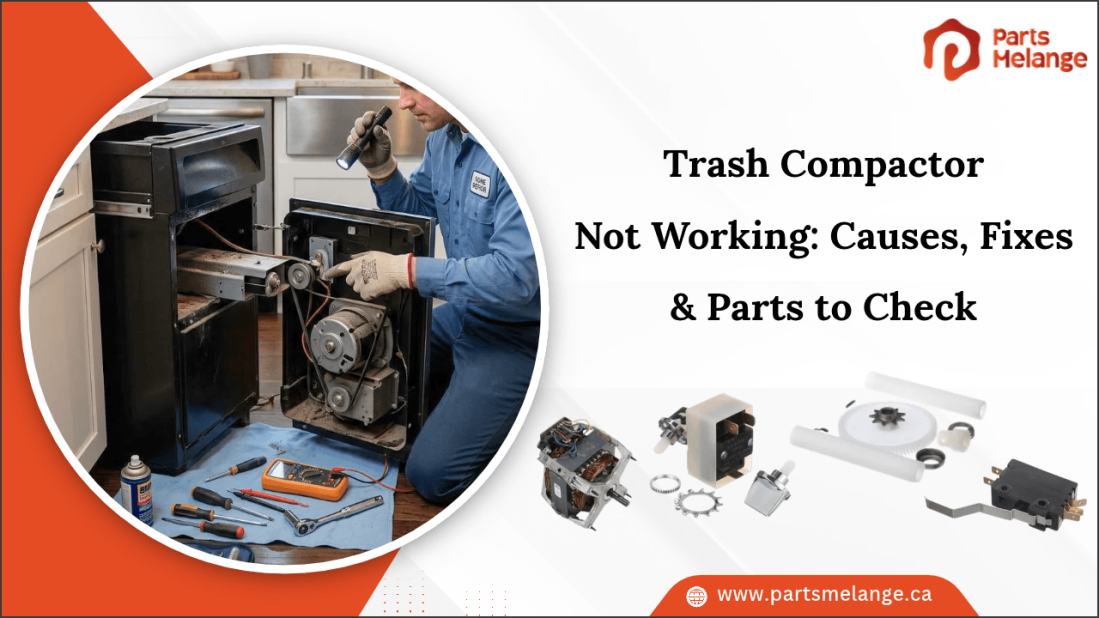
A trash compactor that is not working can make everyday waste disposal more difficult, especially when the unit fails to start or stops compressing trash properly. The problem may result from a simple operating issue or a worn component that affects the compactor's performance.
Understanding the symptoms can help you narrow down the possible cause and choose the right troubleshooting approach. Using the right trash compactor replacement parts can help restore proper operation, improve compaction performance, and extend the appliance's service life.
This blog explains the common causes of trash compactor problems, how to troubleshoot different symptoms, and which parts to check to help restore normal operation.
Why Is My Trash Compactor Not Working?
A trash compactor may stop working because of electrical faults, mechanical damage, or obstructions that prevent normal operation. Identifying the cause helps you determine which component needs attention.
Common reasons for a trash compactor not working include:
Power supply problems: A loose plug, tripped circuit breaker, or interrupted electrical connection can prevent the unit from starting.
Drawer not closed properly: The safety interlock may prevent operation if the drawer is not fully closed or correctly aligned.
Overloaded trash drawer: Excessive waste can restrict the ram's movement and prevent proper compaction.
Faulty drawer switch: A damaged switch may fail to signal that the drawer is securely closed.
Motor failure: A defective motor may cause the compactor to remain inactive, hum without moving, or stop during operation.
Damaged drive mechanism: Worn gears, a broken belt or chain, or a damaged drive screw can prevent the ram from moving.
Control switch or board problems: A faulty operating switch or control board may prevent the cycle from starting or completing.
Identifying the specific fault helps you choose the appropriate repair without replacing functional components unnecessarily. Disconnect the power before inspecting internal parts, and never bypass the drawer safety switch. If the motor, wiring, or drive mechanism requires internal testing, consult a qualified appliance technician.
When a trash compactor stops working, identifying and replacing the faulty component can help restore its normal operation. PartsMelange provides trusted home appliance replacement parts to help you replace worn or damaged components. Find the right trash compactor parts, including motors, switches, drive components, and more to restore your appliance’s proper operation.
Trash Compactor Turns On but Does Not Compact: Causes & Fixes
When a trash compactor turns on but does not compress waste, the motor may be running without transferring power to the compaction plate. Alternatively, the appliance may appear powered on while a safety interlock, control fault, or jam prevents the compaction cycle from starting. The following table outlines common causes and their corresponding fixes.
Cause | Why It Happens | What to Do |
Overloaded drawer | Excessive waste can restrict the ram's movement. | Remove excess trash and distribute the remaining waste evenly. |
Jammed ram | An obstruction can prevent the compression plate from moving. | Disconnect power and check for obstructions in the compression area. |
Faulty motor | The motor may receive power but fail to drive the ram. | Have the motor and its electrical connections tested and replace the motor if defective. |
Worn drive gears | Damaged gears may prevent movement from reaching the ram. | Inspect the gears and replace damaged or stripped components. |
Broken belt or chain | A damaged drive component can interrupt power transfer to the mechanism. | Inspect the belt or chain if fitted and replace it if broken or excessively worn. |
Damaged drive screw | Wear or damage can prevent the ram from traveling correctly. | Inspect the drive screw and connected components for wear or damage. |
Faulty control component | A defective switch or control board may interrupt the operating cycle. | Test the relevant switch or control board and replace the defective component if necessary. |
Before inspecting the drive mechanism, disconnect the compactor from its power source and follow the manufacturer's service instructions. Never reach beneath the ram or attempt to bypass safety switches. If the motor runs without moving the ram, or the unit makes grinding noises, stop operating it until the drive components have been inspected.
Why Is My Trash Compactor Making Noise but Not Moving?
A trash compactor that makes noise but does not move may have a jammed compaction plate, damaged drive gears, a faulty motor, or a problem with its drive mechanism. The type of sound provides useful clues, but it should not be treated as a definitive diagnosis.
Humming Without Movement: A steady humming sound may indicate that the motor is receiving power but cannot rotate freely or generate sufficient torque. A jammed mechanism, failing motor, or defective capacitor, where fitted, can cause this symptom.
What to do: Stop the cycle and disconnect the power. Follow the manufacturer's procedure to check for an obstruction. If the compaction plate remains stationary and the humming returns when the appliance is operated normally, arrange a professional inspection.
Grinding or Clicking Noises: Grinding may indicate damaged drive gears, worn mechanical components, or excessive resistance in the drive assembly. Repeated clicking can occur when a gear or coupling fails to transfer motor power correctly.
What to do: Stop using the compactor to avoid further damage. Once the appliance is disconnected, check for visible obstructions and damage that can be inspected safely. If the noise originates inside the drive assembly, a technician should identify the failed component and determine whether the gears or complete assembly need replacement.
Motor Runs but the Compaction Plate Does Not Move: If the motor runs continuously without moving the plate, the fault may lie in the transmission mechanism, drive screw, gears, coupling, or other mechanical connections.
What to do: Avoid running the appliance repeatedly. A technician should inspect the drive system and verify that the motor's output reaches the compaction mechanism.
Important: Smoke, a burning smell, repeated circuit-breaker trips, or excessive heat requires immediate shutdown. Do not continue troubleshooting with the appliance connected to power.
Which Trash Compactor Parts Should You Check?
When a trash compactor stops working, inspecting the motor, switches, and drive mechanism can help identify the faulty component. The parts to check depend on whether the unit fails to start, makes noise without moving, or stops mid-cycle.
1. Motor: The motor powers the ram that compresses waste. A faulty motor may cause humming, no movement, or unexpected stopping. Have it tested before deciding whether replacement is necessary.
2. Drawer or Door Switch: The safety switch prevents operation when the drawer is not properly positioned. A damaged or misaligned switch can prevent the compactor from starting.
3. Drive Gears: Worn or broken gears can prevent the motor's movement from reaching the ram. Inspect the gears for damaged teeth or excessive wear.
4. Drive Belt or Chain: On models that use these components, a broken or worn belt or chain can interrupt movement to the drive mechanism. Replace damaged components as needed.
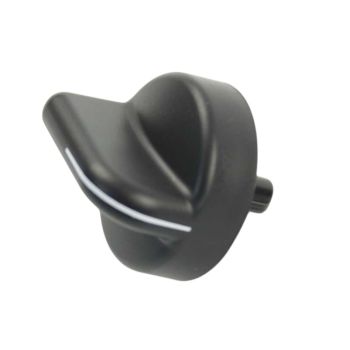
5. Rotary Switch Kit: The rotary switch controls selected compactor functions, depending on the model. If the switch is worn or fails to respond correctly, the unit may not start or operate as intended.
6. Drive Screw and Ram Mechanism: A damaged drive screw or obstructed ram can prevent the compression plate from moving correctly. Check for visible damage or restricted movement.
7. Control Switch or Board: A faulty control switch or board may prevent the compactor from starting or completing its cycle. Further testing can help identify the defective component.
8. Wiring and Electrical Connections: Loose or damaged wiring can interrupt power to the motor and controls. Disconnect power before inspecting accessible wiring, and have a qualified technician test for electrical faults.
Before ordering replacement parts, check the trash compactor's model number and verify the part number and specifications. This helps ensure that the replacement is compatible with the appliance and addresses the actual cause of the problem.
How to Fix a Trash Compactor That Stops Mid-Cycle?
A trash compactor that stops halfway through a cycle may have encountered an obstruction, experienced motor overheating, lost a required safety-switch signal, or developed a fault in its drive mechanism or controls.
Follow these steps to narrow down the cause:
Step 1: Disconnect the Power: Unplug the trash compactor or switch off its circuit breaker before inspecting the drawer or internal mechanism. This helps prevent accidental operation while troubleshooting.
Step 2: Check the Trash Load: Remove excess waste if the drawer is tightly packed. Distribute the remaining trash evenly and avoid placing oversized or hard objects that could restrict the ram's movement.
Step 3: Inspect for Obstructions: Check the accessible compression area for objects that may block the ram or compression plate. Remove obstructions only when the unit is disconnected from power and they can be reached safely.
Step 4: Check the Drawer Switch: Make sure the drawer closes fully and aligns correctly with the safety interlock. If the drawer is properly positioned but the compactor still stops, the switch or its wiring may require testing.
Step 5: Inspect the Drive Mechanism: Check the drive gears, belt or chain where fitted, and drive screw for visible wear or damage. A broken or worn component can interrupt the ram's movement and prevent the cycle from completing.
Step 6: Check for Motor Overheating: If the motor stops after running for a period, allow it to cool and consult the manufacturer's instructions before restarting the unit. Repeated stopping may indicate excessive load, mechanical resistance, or a failing motor.
Step 7: Test the Motor and Control Components: If the drawer is clear and the drive mechanism is unobstructed, the motor, wiring, safety switch, or control board may require further testing. A qualified technician can identify whether an electrical component is interrupting the cycle.
Step 8: Replace the Faulty Part: Once the failed component has been identified, replace it with a compatible part. Verify the compactor's model number and the replacement part's specifications before installation.
Step 9: Test the Compactor: After completing the repair and reinstalling all covers and safety components, restore power and test the compactor according to the manufacturer's instructions. Confirm that the ram moves normally and the cycle completes without unusual noise or interruption.
If the compactor continues to stop mid-cycle, discontinue use until the underlying problem has been identified and corrected.
Check out Common Trash Compactor Problems, Causes & Repair Solutions to understand common operating issues, their causes, and the steps to address them.
Summary: Get Your Trash Compactor Working Again
A trash compactor that fails to start, stops mid-cycle, or makes unusual noises may have a faulty drawer switch, overloaded drawer, defective motor, or damaged drive mechanism. Identifying the specific symptom helps narrow down the cause and determine which component requires attention. Check the power supply, drawer alignment, and load capacity before inspecting internal components. Replace only confirmed faulty parts, and verify compatibility using the complete trash compactor model number to ensure the correct fit.
Key Takeaways
Check the power supply, drawer position, and load capacity first.
Investigate humming noises, grinding sounds, or interrupted cycles.
Inspect the motor, drive gears, drive screw, and drawer switch when necessary.
Disconnect power before inspecting internal components.
Confirm the model number and replacement part specifications before ordering.
FAQs
1. Why is my trash compactor not turning on?
A trash compactor may not turn on because of a tripped breaker, loose power connection, faulty drawer switch, damaged control switch, or defective motor.
2. Why does my trash compactor run but not compact the trash?
An overloaded drawer, jammed ram, faulty motor, worn drive gears, or damaged drive screw can prevent the compaction mechanism from moving properly.
3. Why is my trash compactor making a grinding or humming noise?
Grinding may indicate worn gears or mechanical obstruction, while humming can suggest a stalled motor, excessive resistance, or a problem with the drive mechanism.
4. How do I fix a trash compactor that gets stuck during the cycle?
Disconnect power, check for excess waste or obstructions, inspect the drawer switch, and examine the drive mechanism. Replace confirmed faulty components.
5. When should I replace a trash compactor part instead of repairing it?
Replace a part when it is broken, excessively worn, or electrically defective and cannot be repaired safely. Verify compatibility using the compactor's model number.
Disclaimer: This blog is for informational purposes only and provides general guidance on trash compactor troubleshooting and replacement parts. Information may vary depending on the equipment model. |



Please complete your information below to login.
Sign In
Create New Account